introduction
my mother's phone started dropping calls
it was a nokia 1280. i kept it alive for years, multiple battery replacements and all, but it was an old nokia 1280 and it ended like an old nokia 1280
you might be asking who the fuck uses that phone in the big 2026. i think your thinking is a bit linear. theres a use case for almost anything. my mother is visually impaired, and for her the familiarity of the buttons mattered the most. she never cared to learn how to use a smartphone or watch youtube on one (for that she has a shitty fire tv stick that she voice prompts, which i might also root one day)
so we went looking for a new phone and stopped on a kapsys smartvision3. bought it used from ebay for 400 bucks. a whole fucking lot
i didnt research it much, and thats on me. but it was presented as the perfect solution: a real keypad, a talking interface, be my eyes built in, a pile of certifications for blind people. nothing could go wrong right?
oh god was i mistaken
this thing is a piece of e-waste. i didnt even look at the specs when i bought it. by the time i did there was no way back. it discharged like crazy and it lagged. their os came with a bunch of bloatware of their own, and to fix that, they shipped their own "booster" app. do i need to say it was also android 11?
half a year had passed since she got it. she still hadnt learned anything on it apart from pressing the assistant button and asking it questions, while the whole thing crashed around her. that annoyed me more than it should have. my blood boiled every time she brought me its answers instead of asking me, and i dont even know why. but thats not the point
i was pissed at the manufacturer. kapsys promised updates till 2027. the patch level on her phone said april 2024. half the apps crashed. telegram, the app everyone uses to call her because calls on her sim cost a fortune in roaming, didnt work in the background no matter what i did to stop android from killing it. the device was simply too weak
so one thursday evening i decided its time
what i was working with
my first idea was debloating. i looked into universal android debloater ng, a tool that switches off preinstalled apps, but disabling apps on a rom thats rotten underneath never felt like enough. i searched xda and 4pda, the two big android modding forums. nothing on this phone. not a rom, not a root guide, not even someone complaining
so i plugged it in and started poking at it over adb
- android 11, security patch from april 2024
- the drivers underneath are even older, december 2021 (how??)
- mediatek helio p60, 4 gb of ram
- kernel 4.14.186. remember this number

- twenty-five heavy apps fighting over those 4 gb
the crashes had a boring cause. the google app had updated itself from the play store and was crash looping, and the phone sends all voice input through it, so dictation died with it. kapsys also says android 12 is "not possible" on this phone
i dont really take "not possible" well 
what kapsys actually built
the plan was to put a modern android on it. but the whole point of this phone is the kapsys layer on top: she presses keypad buttons and the phone reads everything out loud. flash something else and she loses that. so first i had to know how kapsys did it
im not much of an android dev. the last time i flashed a custom rom i was 13, and i had never built one. honestly not very good at reading decompiled java either. so i pulled every kapsys app and the android system files off the phone, decompiled them with jadx, and handed the pile to a clanker to audit while i looked at the keypad myself
my guess was that some kapsys app catches the key presses and controls talkback, google's screen reader. half an hour later the audit had rejected my thesis: kapsys patched the android itself. every key press on android goes through a system library called libinput.so, and kapsys added a function to it, literally called SV3KeyboardForTalkback, that turns arrow presses into talkback commands. they also patched the dialer, the status bar and settings
so i couldnt just move their apps onto a new android... fine, i'll rebuild it
backups (lol)
contacts, sms, calendar and photos came off fine. app data did not. adb backup wants you to confirm on the phone, i pressed allow three times, and every time the file stayed at zero bytes. she barely used apps anyway, so i just 
the real backup was supposed to be a full copy of the phone's storage. on mediatek phones you do that with mtkclient through brom, a tiny program burned into the chip that works even when everything else is broken. you get into it by holding the volume buttons while plugging in the cable
for forty minutes i held every button combination known to man while plugging the cable in. THIS SHIT DOES NOT WORK !!!! the phone showed up for about four seconds, then booted android like nothing happened. every. single. time.
> uv run mtk.py rl backup/raw --skip userdata
For brom mode, press and hold vol up, vol dwn, or all hw buttons and connect usb.
For preloader mode, don't press any hw button and connect usb.
If it is already connected and on, hold power for 10 seconds to reset.
..........Preloader
Preloader - [LIB]: Status: Handshake failed, retrying...
Port - Hint:
Power off the phone before connecting.
For brom mode, press and hold vol up, vol dwn, or all hw buttons and connect usb.
...........

~ z1xus fish
~  sv3 ~/dev/sv3
i gave up. unlocking doesnt touch the imei, so how bad could it be
there are two kinds of people: those who make backups, and those who are about to
first flash
unlocking it took one toggle in developer options and one fastboot command. no account, no waiting period, no unlock code to request. honestly? thank you kapsys, thats the one thing you got right
> fastboot flashing unlock
(bootloader) Start unlock flow
OKAY [ 69.642s]
Finished. Total time: 69.642s
> fastboot getvar unlocked
unlocked: yes

~ z1xus fish
~  sv3 ~/dev/sv3
i went with lineageos 23.2, android 16, as a gsi. thats a generic android build that runs on almost any phone by reusing the phone's own drivers. i switched off the boot signature check (more on that later), made room for it on the storage and flashed
i expected a boot animation. i got this
Android Recovery
KAPSYS/SmartVision3_EEA/SmartVision3
11/RP1A.200720.011/1713780416
user/release-keys
Use volume up/down and power.
Can't load Android system. Your data may be corrupt. If you continue to get this message, you may need to perform a factory data reset and erase all user data stored on this device.
Android Recovery
KAPSYS/SmartVision3_EEA/SmartVision3
11/RP1A.200720.011/1713780416
user/release-keys
Use volume up/down and power.
Wipe all user data?
THIS CAN NOT BE UNDONE!
Android Recovery
KAPSYS/SmartVision3_EEA/SmartVision3
11/RP1A.200720.011/1713780416
user/release-keys
Use volume up/down and power.
-- Wiping data...
Formatting /data...
Formatting /metadata...
Data wipe complete.
Android Recovery
KAPSYS/SmartVision3_EEA/SmartVision3
11/RP1A.200720.011/1713780416
user/release-keys
Use volume up/down and power.
i picked factory data reset. it rebooted, and went straight back into recovery
guessing
"insanity is doing the same thing over and over and expecting different results." einstein never said that, but i did prove it that evening
this is where the evening got long. the phone shows the logo for about fifteen seconds and drops into recovery, and recovery has no way to show me what went wrong. so i started bruteforcing my way in. change one thing, flash, reboot, stare at a black screen, repeat. i put back a partition i had deleted, removed her encryption settings, tried android 14 instead of 16, even chased an audio bug that killed some other mediatek phone. WHY ARE YOU IN RECOVERY AGAIN.
eventually i opened "view recovery logs" on the phone and photographed the screen. 397 lines, one photo at a time
[ 0.003902] platform device_type is unknown
[ 0.003976] platform uses default device_type emmc
[ 0.003985] Error: Retry fail /cache partition not found
[ 0.003992] recovery filesystem table
[ 0.003998] ================================
[ 0.004003] 0 /system ext4 system_a 0
[ 0.004009] 1 /vendor ext4 vendor_a 0
[ 0.004014] 2 /product ext4 product_a 0
[ 0.004020] 3 /metadata ext4 /dev/block/platform/bootdevice/by-name/md_udc 0
[ 0.004026] 4 /data ext4 /dev/block/platform/bootdevice/by-name/userdata 0
[ 0.004032] 5 /mnt/vendor/protect_f ext4 /dev/block/platform/bootdevice/by-name/protect1 0
[ 0.004037] 6 /mnt/vendor/protect_s ext4 /dev/block/platform/bootdevice/by-name/protect2 0
then i ran all the photos through ocr, and it fucked up the formatting completely
> head -4 recovery-log.txt
[    0.003902] platform device_type is unknown[span_0](start_span)[span_0](end_span)
[    0.003976] platform uses default device_type emmc[span_1](start_span)[span_1](end_span)
[    0.003985] Error: Retry fail /cache partition not found[span_2](start_span)[span_2](end_span)
[    0.003992] recovery filesystem table[span_3](start_span)[span_3](end_span)

~ z1xus fish
~  Downloads ~/Downloads
i knew a clanker would chew through it easily, so i threw the whole thing at one. it saw the phone had rebooted on a timer and decided the bootloader ran out of boot attempts

it hadnt. a recovery log only knows about recovery anyway, not the boot that died before it
second opinions
a few hours in i was going in circles, so i wrote everything down and asked two different models for a second opinion. they mostly agreed, which was a nice change from me disagreeing with myself every half hour
the problem was the signature check i switched off. android checks a signed file called vbmeta at boot, and it has a "dont check anything" flag, which is what i used. but my vbmeta wasnt signed at all, and this phone refuses an unsigned one before it even reads the flag. the fix was boring: same flag, just signed with google's public test key
still no boot. but at least now the phone fell back into fastboot by itself instead of recovery. small wins 
mtkclient, round two
the phone got further now and died somewhere later. to see where, i needed the kernel's last words. mediatek phones keep them in expdb (a crash log that survives reboots), which meant going back to mtkclient
this time mtkclient got further. then it froze
> grep -E 'Status|Jump|sync|status' /tmp/mtk.log | tail -6
Preloader - Status: Waiting for PreLoader VCOM, please reconnect mobile/iot device to brom mode
Preloader - [LIB]: Status: Handshake failed, retrying...
DAXFlash - Successfully uploaded stage 1, jumping ..
Preloader - Jumping to 0x200000: ok.
DAXFlash - Successfully received DA sync
    status = self.status()  # 0xC0070004

~ z1xus fish
~  sv3 ~/dev/sv3
the phone hung with no button working. mtkclient switches off the watchdog, the timer that normally resets a stuck phone. the only way out was holding power for fifteen seconds. a tiny script that starts mtkclient the exact second the phone shows up finally did it. a few hours later than planned i finally had the full copy, about seven flashes too late
and inside expdb
> strings -n 8 expdb.bin | grep -n reboot | head -6
385:[RTC]rtc_2sec_reboot_check 0x2575, without 2sec reboot, type 0x2
439:[PLFM] WDT reboot bypass power key!
1417:RAM_CONSOLE. set reboot reason info done
1803:RAM_CONSOLE. set reboot reason info done
1969:.(0)[1:init]reboot: Restarting system with command 'recovery'
1984:-(0)[1:init] SyS_reboot+0x15c/0x228

~ z1xus fish
~  raw ~/sv3-backup/raw
[1:init] means process number 1. thats init, the first program android starts, the one that mounts everything and launches the rest. init itself was rebooting the phone into recovery. so android didnt crash on its own. something made init give up
then i made it worse. after the copy i ran mtkclient's reset. i thought i was rebooting the phone the whole time and it kept dying. it was in fact just shutting down as intended. WHO NAMES POWER OFF RESET??  the next time i tried a proper reboot through mtkclient, it froze again, because on mediatek the watchdog is the thing that performs a reboot, and mtkclient had turned it off. the phone was waiting for itself
midnight
the phone had to work by morning. its her only phone, and it was a school night for me, so i couldnt just keep going until it worked. it was midnight
new plan: just get stock back. i had copied the system files off the phone in the very first hour, so i tried to turn them back into something flashable. that copy was useless. android hides some files from adb, and 87 of them were silently missing, including init itself. tar didnt complain once. thanks tar. really.  my "full backup" from hour one was a straight fucking lie
what saved me was kapsys's own update app. it calls kapsys's update api: you log in with the phone's imei and serial number, and it hands you the full official firmware. i flipped the phone over, read the imei off the label, and a few minutes later i had a 1.8 gb zip with every partition inside
why didnt i look for that first? good question. i asked myself that too
the phone was stuck again, black screen with a faint glow, and for a minute i genuinely thought i had bricked it
> lsusb | grep -i mediatek
Bus 001 Device 127: ID 0e8d:2000 MediaTek Inc. MT65xx Preloader

~ z1xus fish
~  home ~
i caught it in the few seconds it shows up, pushed it into fastboot, and flashed kapsys's firmware back. one factory reset later it booted. stock android 11 again, around 1am, about eight hours after the unlock. i put her photos back and went to sleep. school in the morning
the slow part
before bed i turned to my dear llm once again and tasked it with finding out, overnight, how anyone gets android 14+ running on a phone this old. two things from that hurt in hindsight
the gsi i used sends a crashing init to recovery, where normal android would send it to the bootloader. so every crash looked exactly like the phone asking for recovery. and this old kernel throws away most log lines unless you boot it with a special flag, so init's actual error never got written down
it also pointed me to dsu, dynamic system updates. you install a test android as a file, boot into it, and if it explodes, one reboot brings you back to stock. her phone stays untouched. no flashing. no bootloops. no holding the power button like my life depends on it. THIS EXISTED THE WHOLE TIME??
the emulator
the next afternoon i wanted to test my keypad code on my pc first, so i set up the android emulator. it crashed on startup. seven times, with every option i could find. SEVEN. so i opened the crash dump
> gdb -q -batch -ex 'info registers rip rsp' -ex 'bt 5' emulator/qemu/linux-x86_64/qemu-system-x86_64 /tmp/q.core
Core was generated by `/var/home/z1xus/Android/Sdk/emulator/qemu/linux-x86_64/qemu-system-x86_64'.
Program terminated with signal SIGSEGV, Segmentation fault.
#0  0x000056095ff55070 in ?? ()
[Current thread is 1 (LWP 1741036)]
rip            0x56095ff55070      0x56095ff55070
rsp            0x7fa28fcf1e38      0x7fa28fcf1e38
#1  0x00007fa3c82d58fc in ?? ()
#2  0x000056095ff55070 in ?? ()
#3  0x0000000000000000 in ?? ()

~ z1xus fish
~  Sdk ~/Android/Sdk
the ?? means it crashed in code that doesnt belong to any program file. it was code the emulator's software graphics generated on the fly and put in a kind of memory my system wont run code from. the emulator's memory allocator has a switch to use different memory, TCMALLOC_SKIP_SBRK=true. one environment variable, and it booted in seconds
init threw an exception
phones like this keep two copies of android, slot a and slot b, so updates can go into the unused one. her stock android lived in slot a. slot b was empty. so i put a test build in slot b, with the logging flag on, set to stop before it touched any of her data
this is the crash i had been chasing since thursday 👇
> grep -n -A13 'took 282ms' ramoops.txt
865:[   10.894032] init: Command 'mount_all /vendor/etc/fstab.mt6771 --early' action=fs took 282ms and succeeded
866:[   10.900986] init: InitFatalReboot: signal 6
867:[   10.924449] init:   #00 pc 00000000001122f0  /system/bin/init (android::init::InitFatalReboot(int)+228)
868:[   10.926336] init:   #01 pc 00000000001127a8  /system/bin/init (android::init::InstallRebootSignalHandlers()::$_0::__invoke(int)+32)
869:[   10.928460] init:   #02 pc 0000000000000628  [vdso] (__kernel_rt_sigreturn)
870:[   10.929541] init:   #03 pc 0000000000075888  /system/lib64/bootstrap/libc.so (abort+152)
871:[   10.931212] init:   #04 pc 00000000000804c8  /system/lib64/libc++.so (__abort_message+256)
872:[   10.933067] init:   #05 pc 000000000007f03c  /system/lib64/libc++.so (demangling_terminate_handler()+224)
873:[   10.935010] init:   #06 pc 000000000007f50c  /system/lib64/libc++.so (std::__terminate(void (*)())+12)
874:[   10.936932] init:   #07 pc 00000000000827d4  /system/lib64/libc++.so (__cxa_rethrow+236)
875:[   10.938694] init:   #08 pc 00000000000fd13c  /system/lib64/libc++.so (std::__1::__fs::filesystem::detail::ErrorHandler<void>::report(...))
876:[   10.941565] init:   #09 pc 00000000000fd028  /system/lib64/libc++.so (std::__1::__fs::filesystem::detail::create_file_status(...))
877:[   10.944906] init:   #10 pc 0000000000105818  /system/lib64/libc++.so (std::__1::__fs::filesystem::__status(...))
878:[   10.947597] init:   #11 pc 00000000000f5fd0  /system/bin/init (android::init::(anonymous namespace)::SetMountProperty(android::init::MountHandlerEntry const&, bool)+298)

~ z1xus fish
~  slot-b ~/sv3-backup/slot-b
init asks "does this file exist?". the phone's 2021 security rules dont let init look at that file. android 16 asks in a way that crashes instead of just getting a "no", nobody catches the crash, and init dies. when init dies, the phone reboots. and the security rules were set to deny it silently, so nothing ever showed up in a log
the test fix was one line in the security rules that lets init through. it went right past the crash on the first try
the dsu detour
with that fix in, i installed the whole thing through dsu. it still took a couple of my own bugs before it would boot
while that was rebuilding i finally vented about it

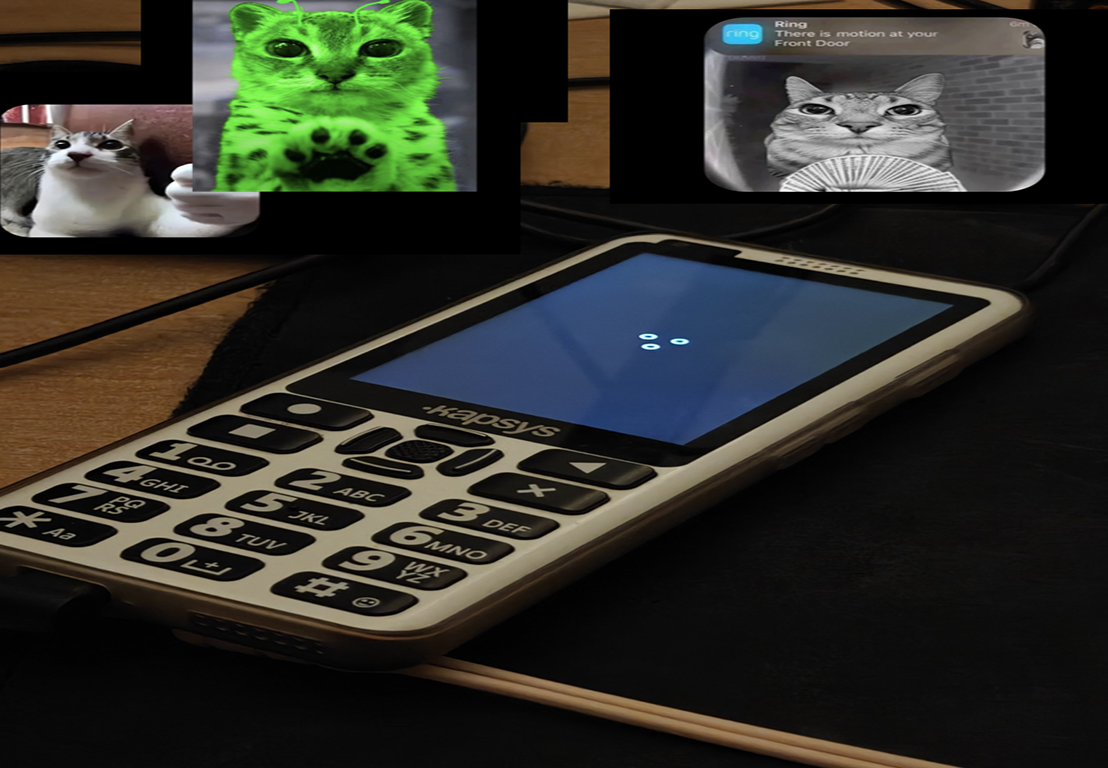
a few minutes later it fully booted. android 16, may 2026 security patch. on a phone its manufacturer said would never see android 12

better than kapsys
copying kapsys's apps over was never really an option. some of them crashed on android 16 until i patched them, and the keypad magic lived in their patched android anyway, which wasnt coming with me. so i wrote one small app that does the keypad, the home screen and the keyboard. the home screen uses 20 mb of ram, kapsys's took 63
the keypad was the interesting part. kapsys faked talkback swipes from inside android, and talkback ignores fake key presses on purpose. but an accessibility app is allowed to move talkback's cursor directly. so mine does that. up and down walk the list, the middle key opens things
after that it was a day of living on the phone and fixing whatever annoyed me
permission prompts were the first thing to go. she has no idea what those are, and android blocks apps from tapping "allow" for you on purpose. but the rom itself is allowed to grant permissions, so now every app gets them the moment its installed, and telegram just works. you might say thats a privacy nightmare. i'd say its a deliberate accessibility feature, and the only person who installs apps on that phone is me anyway. the lock screen went too, kapsys didnt have one either
talkback kept speaking english on a ukrainian phone, because the phone's region didnt match any voice the speech engine has, so it quietly fell back to english. one setting. then i added a ukrainian voice and automatic language detection, because the default voice reading ukrainian sounds terrible
knowing how confusing all this tech is for my mother, i went through several versions of the help screen, until it was so simple it even explained which side is left and which is right
she has no idea what the fuck most notifications are, and she doesnt care either. so i made them remove themselves. my app gets a copy of every notification the moment it pops up (android lets an app do that once you give it notification access), and if its from android itself, the play store, play protect or the google app, it just dismisses it on the spot. messages and calls stay. and since the stock sounds are ass, we replaced the ringtone, notification and alarm sounds with soft ones
and the shortcut tone. holding both volume keys turns talkback on and off, and android plays a sound when you do it. a very loud sound. WHY IS IT SO LOUD. (ok it sounds tame here. on her phone, at full volume, past midnight, it really wasnt) i made it quieter four times before i realised i was editing a file that wasnt being played at all. android was using the default notification sound instead. so i swapped that one out, and now the shortcut is basically silent
flashing it for real
ok so. everything up to this point was still running through dsu, aka android on a free trial. one wrong reboot and she was back on kapsys. at like 3am i was out of patience. one last backup, then the real thing. kapsys android 11 got wiped and my build went on
first real boot came up right away with nothing crashing. wifi back on, her speed dials back, her photos back
i never benchmarked the battery. but she told me herself it feels like it lasts longer now, and honestly thats the only review i care about
i flashed twice more that night and her data stayed. the second time i swapped talkback for a copy i patch myself, so it stops announcing "screen off" and "device unlocked" every time she touches the phone
loose ends
when she wakes the phone on the home screen with the top row selected, the one that shows the time, talkback says the time, and two seconds later reads that row again. so she hears the time twice. i tried three workarounds and threw all three away, i want it fixed properly
bluetooth crashed 31 times in a row after i turned on bluetooth scanning for location. scanning is off again, and bluetooth itself is still untested
its also still a debug build with a backdoor for me, and init still has that one security exception. all of that still needs closing up
the assistant button
she presses it a lot. on stock it was welded to google's assistant, because apparently reading one android setting was too much engineering for a €400 phone. on mine it follows whatever you set as default, so obviously i tried chatgpt first. it cant even set a timer, which is like half of what she uses it for. so its back on gemini
she still asks it questions instead of me. at least now it doesnt crash halfway through the answer
comments
0 comments